You can create different landing pages for each of your offerings or use different landing pages to target different kinds of customers. For example, Apple has a landing page for students that highlights their back-to-school free AirPods offer and another for business owners that showcases how different companies use their products. Instead of trying to reach every customer all at once, Apple uses their landing pages to fine-tune their marketing efforts.
But you don't have to be one of the biggest companies in the world to do this well. With a great landing page builder, you can get results too.

The 5 best landing page builder apps
- Google Sites for making free landing pages
- Carrd for building landing pages quickly
Mailchimp for driving email newsletter signups
KickoffLabs for competitions and giveaways
Unbounce for small businesses with a budget
What should a landing page builder include?
A landing page does one thing well: focuses visitors' attention on whatever you're promoting, with a single call to action (CTA) that gets people to sign up for more information or directly purchase your product. Landing pages support your marketing campaigns, helping you capture leads and present targeted messages to a specific audience.
You could hand-code a web page, and you could add a single page for your product in any standard CMS like WordPress. But you'll do better with something simpler. When you want to build a landing page to launch something new, you need:
An app to build a one-page website that's easy to customize without coding
Templates and other tools to help you make the website quickly with a great design
A way to integrate different CTAs, whether you're trying to collect email addresses, get customers to contact you, or directly sell your product
Analytics tracking to know how many people visit your page and how they got to it
The option to use a custom domain name for your site
And these are just the must-haves. The best landing page builders help you to put together a site in about 15 minutes—as long as you have the copy written and images ready to go. They're also quick to edit and iterate on, and may even let you create two versions that get tested against each other so you can find out what works best for marketing to your customers. Also, they have to be good value for money: an expensive service has to justify the extra cost by helping you get a better return on your marketing.
After testing well over 30 different apps, these are our picks for the nine best.
Best free landing page builder
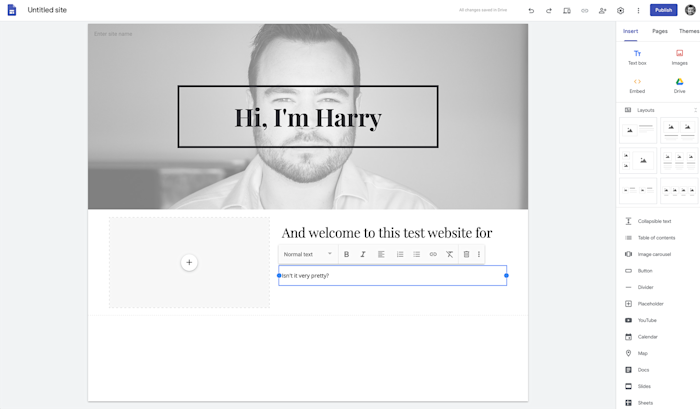
Google Sites is one of Google's lesser-known products, but it's one of their best. If you want to throw together a quick landing page without spending a penny, it's the app to use.
There are a few themes, but they all have the same basic look: there's a large graphic header with your page title at the top, and underneath that, you drag in sections for text, images, or uploaded files. You can customize the colors and typography of the themes, and the layout tools are powerful enough that you can build almost any landing page you need. Just don't expect to have a wildly unique design.
The editor itself is a joy to use. The stock layout options make it easy to add nicely formatted text and images, and you can quickly embed any document, image, form, or other file from your Google Drive—just click the Drive button and you can browse everything. I loved that when I added a background image, Sites adjusted it so that the text over it was still readable; it's a small feature, but it shows just how polished the app is.
Because of its tight integration with other Google products, you can also use Zapier to connect your sites to your other tools. For example, you could easily embed a Google Form that sends responses to your project management or team chat app.
Google Sites price: Free
Best for building landing pages quickly
Carrd (Web)
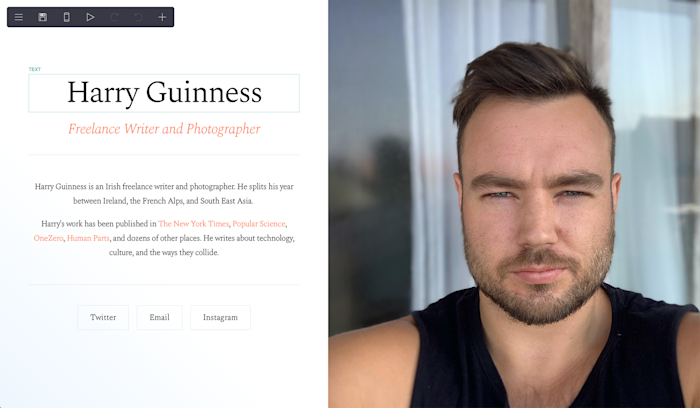
Carrd is one of the fastest landing page builders out there. You don't even need an account to start building a page. Just head to the Carrd website, select one of the themes, and get to it. Once you're ready to publish your site, that's when you'll need to sign up.
Most of Carrd's editing tools are simple to use. Click an image block, and a sidebar opens where you can upload a new image and add alt text and a link. Editing text is a bit confusing since you can't edit it inline—again, you click the text then edit it in the sidebar—but it does support Markdown formatting for a quick way to customize your copy.
Many of Carrd's themes only let you move items up and down to reorder them. That's a bit restricting, but it keeps your content lined up. Or you can add a container from the + menu and set it to have multiple columns if you want to have items side-by-side. That's also how you can add more text, videos, and other items to your page.
Carrd's free version limits some key landing page features: you can't use Google Analytics; embed third-party widgets from Stripe, PayPal, and Gumroad (so you can take payments); or add forms so you can collect email addresses. To get the most out of it, you'll need to upgrade to at least a Pro Standard account.
Carrd price: Free for 3 sites with basic features; from $9/year for Pro Lite which unlocks more templates, but you need the $19/year Pro Standard plan to use advanced features like embeds, forms, custom domains, and Google Analytics.
Best for for driving email newsletter signups
Mailchimp (Web)
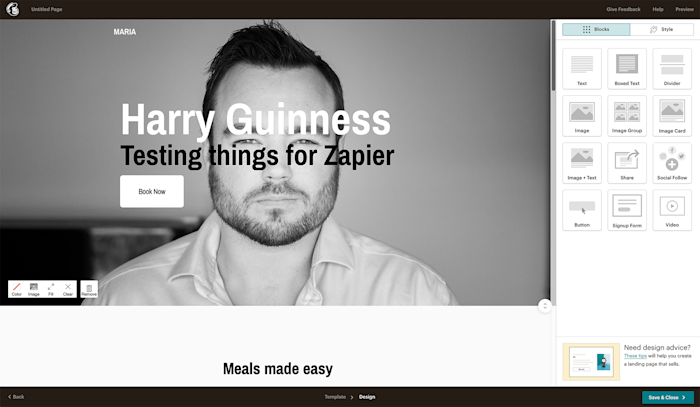
Mailchimp is mostly an email marketing app, but its landing page builder is surprisingly capable. It's certainly great for collecting email newsletter signups, but you can also sell products by connecting your account to Square.
To start, go to Create > Landing Page. Give it a name, select your audience (or create one if it's your first time), and click Begin. There are only 10 themes to choose from, but they're all excellent and highlighted by their main use case: accept payments, grow your list, generate leads, or promote your products.
Once you've got a base theme, it's time to build your landing page. Mailchimp uses a system of Blocks: they're things like text, images, and signup forms that you can drag around to reposition and arrange. Just hover your mouse over anything on the page and click on the drag handle.
When you're done, click Save & Close and then Publish to publish the page. You can use a Mailchimp domain or your own custom domain although you'll need to configure that.
If people use your landing page to sign up for your email newsletter, Zapier can automatically let you know or track the information somewhere else. Here are a couple examples of how that might work.
Mailchimp Price: Free for 2,000 contacts and 10,000 emails a month; from $9.99 for the Essentials plan for 500 contacts and 5,000 emails and premium features like more email templates, custom branding, and A/B testing.
Best landing page builder for competitions and giveaways
KickoffLabs (Web)
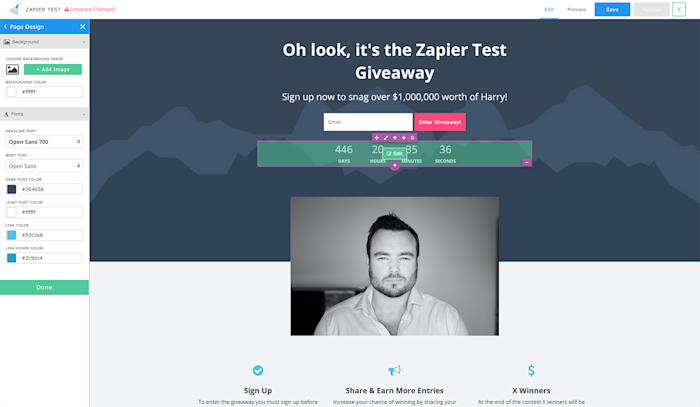
Sometimes you need to give people a bit of an incentive to sign up to your email list. One of the best ways to do it is with a competition or giveaway—which is where KickoffLabs comes in.
KickoffLabs is a bit more involved than some of the other apps on this list. It's not designed for quickly launching a simple landing page. Instead, you'll start by creating a campaign with a specific goal (perhaps launching a new product or getting new leads for your business). Then, pick how to gather leads: you could make a pop-up or form for an existing site, but here you'll likely want to make a landing page. You can then choose what kind of competition or promotional strategy will work best. If you want, you can just give people points for how many people they refer, or you can give them a discount code, reward dollars, or entries into a sweepstakes.
All that's left is to design the landing page, something that's faster than in many other landing page editors. Select text and edit it directly, or hover your mouse over the edge of the columns that divide your page and click the + button to quickly add an image, video, logo, or file download. There are also pre-made content blocks to help speed up your page design. You can then publish the page directly—or, download an HTML copy of it to host on your servers for a simple way to use KickoffLabs' features with any site.
You can take it one step further by connecting KickoffLabs to Zapier, so you can do things like automatically adding new leads to your email newsletter list or database.
KickoffLabs Price: From $29/month for the Hobby plan, for one campaign with up to 2,000 unique visitors per month.
Best landing page builder for small businesses with a budget
Unbounce (Web)
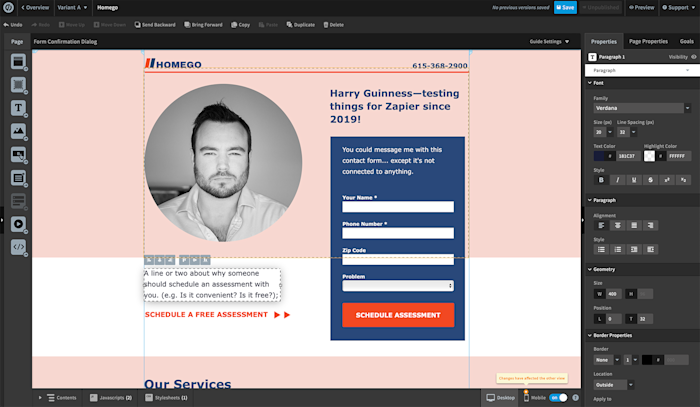
Many landing page builders are aimed at digital entrepreneurs and other people whose business is done mostly online. Unbounce, on the other hand, offers a lot for small, offline business owners like dentists, lawyers, and plumbers.
At $80/month for up to 500 conversions (which can be as little as people clicking on a link to your app, filling in a form, or joining your newsletter) and 20,000 unique visitors, Unbounce is only for people who are making real money from their leads. You can see how close you are to your plan's limits at the top of the screen as soon as you log in.
There are 101 templates to choose from, and they do a lot of the heavy lifting of designing your landing page. There are even industry-specific templates for restaurants, dentists, coaches, travel guides, and other small businesses.
The editor itself is one of the most powerful out there. Unlike a lot of apps, you aren't forced to place your content in aligned boxes. You can drag and drop things anywhere you want—though whether or not you should is up for debate.
Unbounce's real power, however, is in its A/B testing and targeting tools. You can create multiple variants of your page from the Variant menu in the top toolbar. Unbounce will then test them against each other to see which one gets you the most conversions. There's also an option to dynamically replace text on your page with whatever the person searched for, so you could change your headline to say "Human Resource Management Apps" or "HR Management Tools" depending on what they were looking for.
With all these features, Unbounce has a steep learning curve. So make sure you take it slow, explore all the options, and don't forget to customize all the example graphics and text—including the text in the "thank you" box after someone fills out a form.
Since you're spending a pretty penny to make it happen, you'll want to be sure you get your leads where you need them. Unbounce integrates with Zapier, so you can add your new leads to your CRM or email marketing tool. Here are a couple examples, but you can connect it to whatever app you use.



0 Comments